Documentation
Get started with GitArsenal
GitArsenal is an agent-powered repository setup tool built for seamless development environment configuration.
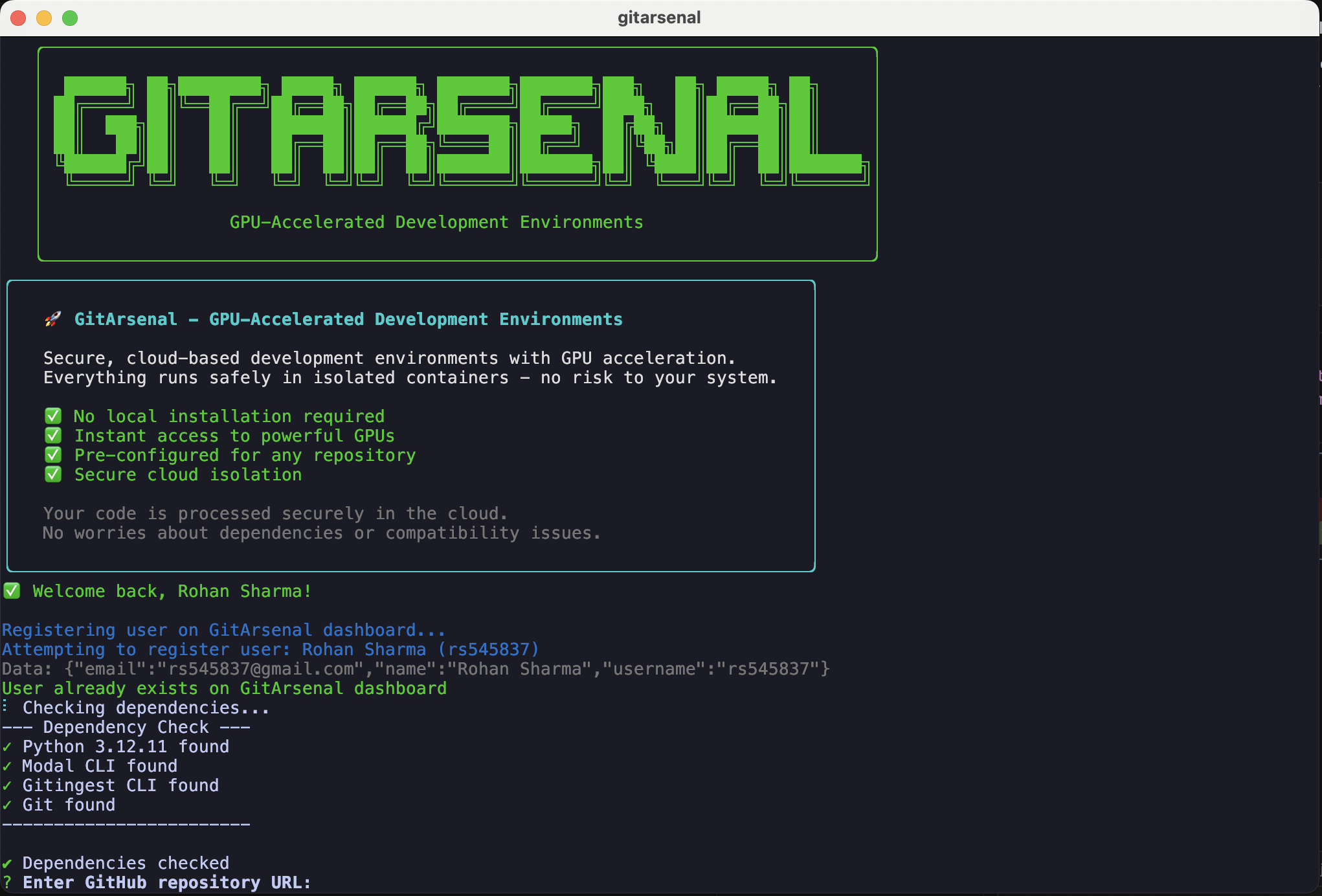
Let's get started.
Prerequisites
To use GitArsenal, you'll need:
- • Modern Terminal (iTerm, Terminal, Kitty etc.)
- • Repository URLs you want to work with
Install
Version 1 Deprecated
The old npm install -g gitarsenal-cli version is deprecated. We are solely focusing on V2 now.
Install V2: Visit the CLI page for the latest installation instructions using the curl command.
# Install V2 using curl (recommended)
curl -fsSL https://gitarsenal.dev/install | bash

# Then run
gitarsenal

# Verify installation
gitarsenal --version
Legacy Installation (Deprecated):
The npm installation method is no longer supported:
# This method is deprecated - do not use
# npm install -g gitarsenal-cli
Start Using the CLI
You start by typing the following in your terminal:
gitarsenalThen it's gonna ask you to register as a user:
GitArsenal Authentication
Create an account or login to use GitArsenal
Your credentials will be saved locally for future use.
? What would you like to do? (Use arrow keys)
> Create new account
  Login with existing account
For new account creation, it will ask you for:
- • Username (minimum 3 characters)
- • Email address
- • Full name
- • Password (minimum 8 characters)
- • Password confirmation
After authentication, it will ask you for the GitHub repository URL you want to setup:
? Enter GitHub repository URL: https://github.com/username/repository
Then we analyze the repo and prompt you for API keys if required.
Managing API Keys
GitArsenal can store your API keys locally for automatic injection into repositories that need them. These keys are encrypted and reused across different projects.
# Add API keys for different services
gitarsenal keys add --service openai_api_key
gitarsenal keys add --service WANDB_API_KEY
gitarsenal keys add --service HUGGINGFACE_TOKEN

# List stored API keys
gitarsenal keys list

# View a specific API key
gitarsenal keys view --service openai_api_key

# Delete an API key
gitarsenal keys delete --service openai_api_key
Smart API Key Discovery:
GitArsenal doesn't have a fixed list of supported services. Instead, our AI agent automatically discovers any API key requirements when analyzing your repository.
- • Automatic Detection: Discovers API key needs from your code
- • Smart Storage: Securely stores keys for future use
- • Cross-Project Reuse: Uses stored keys across different repositories
- • Universal Support: Works with any service that requires API keys
Setup Options
You can choose how to run your repository:
Local Setup
# We are working on this feature.
# Stay tuned!
# Will enable setups on your local clusters.
Cloud Container (Safer Option)
gitarsenal setup --cloud --gpu A100
# Runs in cloud with GPU acceleration
Repository Setup with GPU
GitArsenal will analyze your repository and recommend the best GPU based on your project's requirements. You can also specify a GPU manually:
# Let GitArsenal choose the best GPU automatically
gitarsenal --repo https://github.com/username/repository

# Specify a specific GPU type
gitarsenal --gpu A100-80GB --repo https://github.com/username/ml-project

# With custom setup commands
gitarsenal --gpu H100 --repo https://github.com/username/project --setup-commands "pip install torch" "python train.py"
Available GPUs:
Next Steps
You are now ready to use GitArsenal with any GitHub repository!
- • Try the GitArsenal CLI to get started immediately
- • Learn about CLI Usage for command-line workflows
- • Check out the GitArsenal App for upcoming desktop features
- • Explore the Getting Started guide for detailed setup instructions